

Our Science · Trust, validation and IT · Integrations
Integrations and connectors What the platform can reach, and what we build for you.
Before our LIMS exchanges data with your instruments and other systems, your IT and quality staff must confirm where the data travels and who can see it.
- Veterinary diagnostic laboratories
- Materials and transportation testing laboratories
- Government and research laboratories
- Environmental and other testing laboratories
We built the analyzer interfaces at UW Veterinary Care and the transportation-system exchange at Maine DOT. The first step is a thirty-minute conversation with a laboratory informatics expert.
Our products reach your other laboratory systems through the connectors Microsoft publishes for the Power Platform, and through interfaces we build for your instruments. Here are the connectors laboratories ask about most, the file and database routes most instrument data takes, and the questions to confirm before you count on an integration.
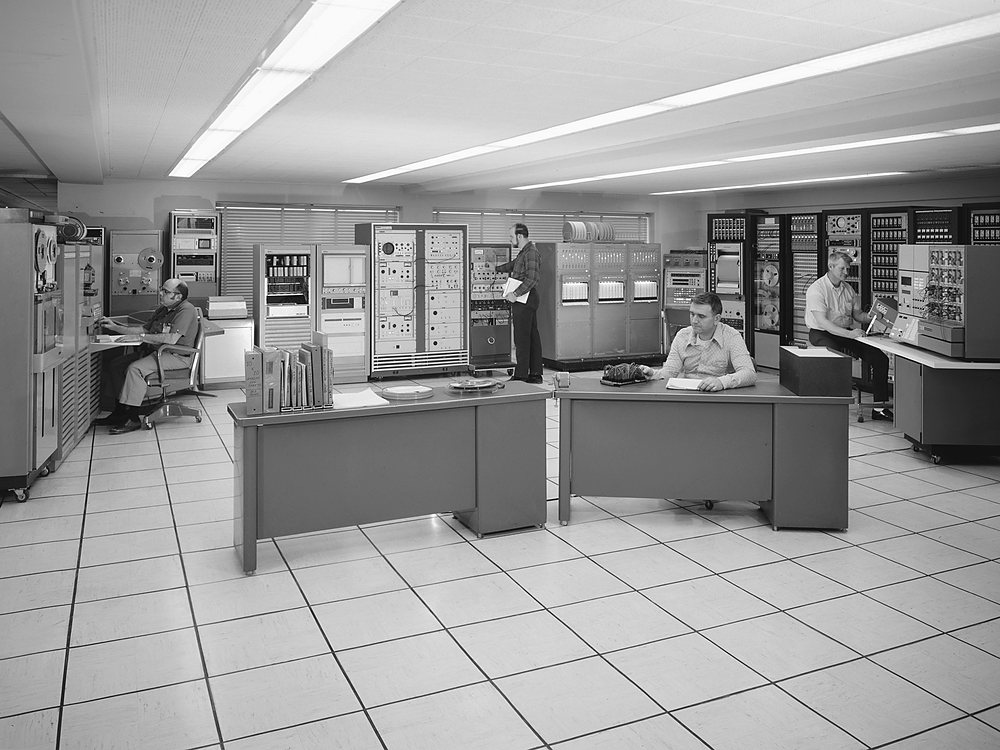
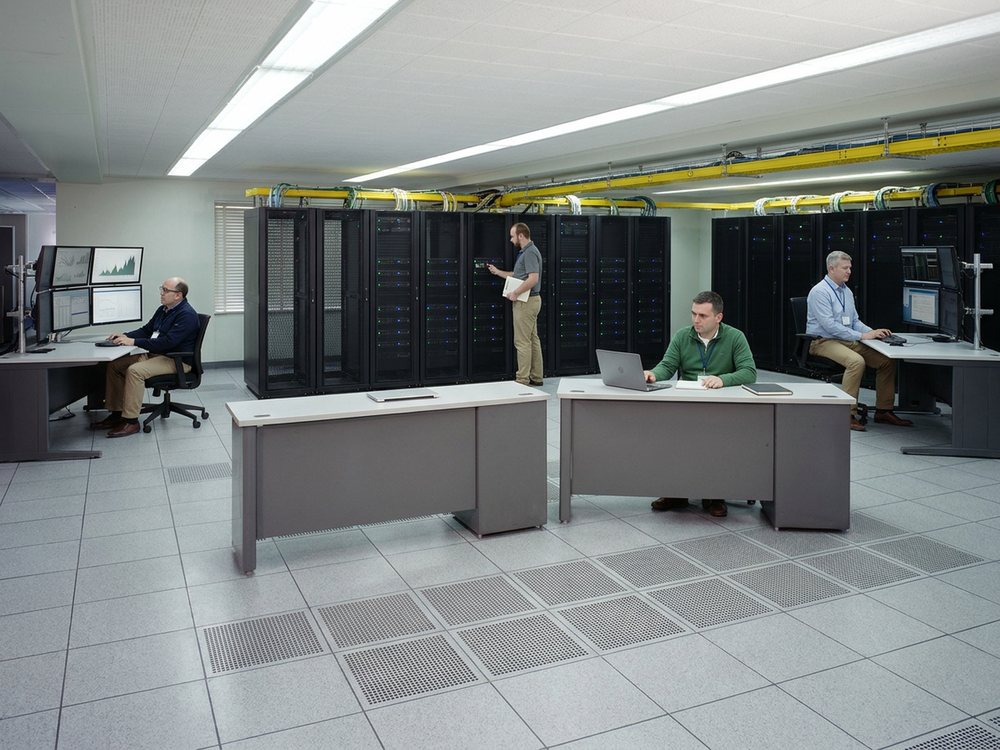
THEN · 1973 · Wikimedia Commons · NOW · digitally rendered
THEN · 1973 · Wikimedia Commons · public domain NOW · digitally rendered from the archive photograph above (Gemini 3 Pro Image, 2026-09-15): the room geometry, the camera and the people's positions are the photograph; everything else is generated. Not a photograph.01Two lists
What the platform can reach, and what we build
Our products are Microsoft Dataverse solutions, and they reach your other laboratory systems through the connectors Microsoft publishes for the Power Platform. Microsoft documents each connector, sets its licensing tier, and determines when the catalog changes.
An integration discussion therefore involves two lists. The first is what the platform can reach. The second is what SynapticSci has built, tested, delivered, and supports for your laboratory, which is named in your scope and on your order form. The connectors below belong to the first list.
A connector also requires a connection, credentials, a license that covers its tier, and often a gateway. Availability depends on the product, the region, and your license, and some entries are in preview or deprecated.
Catalog · Microsoft Learn · Connector reference overview · read September 7, 2026 · learn.microsoft.com/en-us/connectors/connector-reference/
02Connector count
How many connectors are available
Microsoft states the size of the catalog as follows.
1400+
catalog entries
Across Power Automate, Power Apps, Logic Apps, and Copilot Studio, including preview and deprecated connectors.
“With 1400+ connectors from Microsoft and other companies, plus the ability to create custom connectors, organizations can bring in their own data from systems with a REST API.”
Microsoft Learn · read September 7, 2026
The number available in your tenant depends on your licenses and policies.
03The catalog
The connectors laboratories ask about first
Each name links to the connector’s Microsoft page, which gives its regions, limits, and actions. The families are our own grouping. A Premium connector requires a standalone Power Apps or Power Automate plan, and “Premium” here applies in Power Apps, Power Automate, and Copilot Studio. “Cannot be blocked” marks the core connectors that Microsoft lists as outside the reach of a data policy.
Files and documents
SharePointStandard · cannot be blocked
Documents and list items in SharePoint Online, and an on-premises SharePoint 2016 or 2019 farm through the on-premises data gateway. Your SOPs, method files, validation packs, and signed reports are often already here.
OneDrive for BusinessStandard · cannot be blocked
Files in a person’s work file store, such as an analyst’s working spreadsheet or a scanned worksheet before it becomes a record.
Excel Online (Business)Standard · cannot be blocked
Reads and writes rows in Excel files, such as the worklist or QC log that does real work in your laboratory.
Word Online (Business)Premium · Standard in Logic Apps
Fills a Word template from data, so a certificate of analysis or a case report is laid out from the record instead of retyped.
Azure Blob StoragePremium · Standard in Logic Apps
Stores large instrument output, such as chromatograms, images, and raw data files, once it leaves the acquisition PC.
Azure File StoragePremium · Standard in Logic Apps
A cloud file share an instrument PC can be mapped to, so the drop folder outlives the PC.
Messaging and email
Office 365 OutlookStandard · cannot be blocked, listed by Microsoft as “Microsoft 365 Outlook”
Mail, calendar events, contacts, and tasks in a work mailbox. Requisitions often arrive by email, and results often leave by email.
Microsoft TeamsStandard · cannot be blocked
Messages, channels, and chats, so a failed QC or a held sample reaches the channel the bench already watches.
Directory and identity
Office 365 UsersStandard · cannot be blocked, listed by Microsoft as “Microsoft 365 Users”
User profiles, managers, and direct reports, so a review-and-release step can record who authorized what.
Microsoft Entra IDStandard
Users and groups in Microsoft Entra ID. Group membership can record who is approved to run a test, in one place.
Databases
Microsoft DataversePremium · the one premium connector that cannot be blocked, because Dataverse is part of the platform
The data store of a Power Platform environment, under Dataverse row-level security. Our products store their records here, and the data remains yours, as Where your data lives explains.
SQL ServerPremium · Standard in Logic Apps · on-premises through the gateway
Rows in tables. The database behind an existing LIMS, instrument data system, or middleware application is often SQL Server, and the gateway reaches it without opening inbound firewall ports.
Oracle DatabasePremium · Standard in Logic Apps · on-premises through the gateway
Rows in tables of an on-premises Oracle database, which often sits under long-lived laboratory systems.
MySQLPremium · Standard in Logic Apps · requires the gateway
Reads and writes data in an on-premises MySQL database, which often sits under smaller instrument data systems.
PostgreSQLPremium · Standard in Logic Apps · requires the gateway · read-only
Suitable for reading results or worklists from a departmental database, but not for writing data back to it.
Approvals and forms
Standard approvalsStandard · cannot be blocked, listed by Microsoft as “Approvals”
Sends a held result, a deviation, or an out-of-specification report for a second signature, and records the decision, the approver, and the time.
Microsoft FormsStandard in Power Automate, Logic Apps, and Copilot Studio · not listed for Power Apps
Reads form responses as they arrive, such as an intake form completed by a client or a clinical unit.
Tasks and the working week
PlannerStandard · cannot be blocked
Tasks with an owner and a date, such as calibration due, maintenance due, or a reagent lot to verify.
Shifts for Microsoft TeamsStandard · cannot be blocked, listed by Microsoft as “Shifts”
Shift schedules and change requests, so a notification reaches the person on shift.
Reporting
Power BIStandard · cannot be blocked
Dashboards, reports, and datasets, such as turnaround time and workload by team for management review, refreshed automatically.
Finance, billing, and line-of-business systems
Dynamics 365 Business CentralPremium · Standard in Logic Apps · an on-premises deployment is a separate entry
Customers, orders, and invoice lines, where a completed test becomes an invoice line.
SalesforcePremium · Standard in Logic Apps
Objects in a Salesforce organization, such as the account and contract terms for a submitting practice or site.
ServiceNowPremium · Standard in Logic Apps
Incidents and users, so an instrument fault may become a service-desk ticket as well as a record in the laboratory system.
DocusignStandard · By: DocuSign, Inc.
Sends agreements for signature and follows their status, such as a contract or consent form that leaves the laboratory.
Adobe Acrobat SignStandard · By: ADOBE INC.
The same electronic-signature workflow for organizations that use Adobe.
04Files and databases
How laboratory data often arrives
Most laboratory data arrives as a file in a folder or network share, as a file sent over SFTP, or as rows in a database that has run for years. The documented limits of these routes, such as file-size caps and timeouts, determine whether a route will work for your instrument output.
File System
Standard in every product · requires the on-premises data gateway
Microsoft: “Connect to File Systems on your local or network machines to read from and write to files using the On-Premises Data Gateway.” It can trigger when a file is created or modified, so it can watch the folder where an instrument writes its CSV, PDF, or XML output.
- Documented limits
- 30 MB maximum file size for general operations
- 20 MB for create file
- 30-second gateway connection timeout
Microsoft Learn · read September 7, 2026 · learn.microsoft.com/en-us/connectors/filesystem/
SFTP - SSH
Standard in every product
Transfers files over the SSH File Transfer Protocol, which reference laboratories, send-out partners, and instrument vendors often use for result files.
Microsoft Learn · read September 7, 2026 · learn.microsoft.com/en-us/connectors/sftpwithssh/
FTP
Standard in every product · no transport encryption
Transfers files without encryption, as some older instrument controllers still do. SFTP - SSH is the secure route, and Microsoft’s separate “SFTP [DEPRECATED]” entry is not the current one.
Microsoft Learn · read September 7, 2026 · learn.microsoft.com/en-us/connectors/ftp/
SMTP
Standard in every product
Sends email through your own mail server, so result notifications do not depend on an individual mailbox.
Microsoft Learn · read September 7, 2026 · learn.microsoft.com/en-us/connectors/smtp/
HTTP, HTTP Webhook, and “When an HTTP request is received”
Built-in operations outside the connector catalog · the generic HTTP action is Premium in Power Automate
These operations do not appear in the catalog, and data policies classify them as connectors. A system with a REST or SOAP API, such as a middleware application or an analyzer web service, can be reached through them without a named connector.
Microsoft Learn · read September 7, 2026 · learn.microsoft.com/en-us/power-platform/admin/dlp-connector-classification · learn.microsoft.com/sharepoint/dev/business-apps/power-automate/guidance/migrate-from-classic-workflows-to-power-automate-flows
HTTP with Microsoft Entra ID
Premium · Standard in Logic Apps · a preauthorized variant is listed separately
Fetches resources from web services authenticated by Microsoft Entra ID, including a web service inside your network reached through the gateway.
Microsoft Learn · read September 7, 2026 · learn.microsoft.com/en-us/connectors/webcontentsv2/
Database access by named engine
All Premium in Power Automate and Power Apps · all Standard in Logic Apps
There is no generic database connector, so the first question about an existing database is which engine it uses. Each engine has its own entry.
- SQL Server
- Oracle Database
- MySQL
- PostgreSQL, read-only
- DB2
- Informix, in preview
- Teradata, read-only
Microsoft Learn · connector reference pages read September 7, 2026
The on-premises data gateway
Required for the routes above when the data source is inside your network · installed and managed by your IT
Microsoft: The on-premises data gateway is a locally installed Windows client application that acts as a bridge between your local on-premises data sources and services in the Microsoft cloud. It provides quick and secure data transfer and requires no inbound ports to your network — only outbound ports.
It is the route to instruments, LIMS, and other systems that are not exposed to the internet. Microsoft documents the following sources Power Automate can reach through it.
- Apache Impala, BizTalk Server, and SAP ERP
- DB2, Informix, MySQL, Oracle Database, PostgreSQL, SQL Server, and Teradata
- File System, SharePoint, HTTP with Microsoft Entra ID, and custom connectors that you create
A route that carries one small result file may not carry a full night of raw output, so we settle the size limits before an integration is designed.
- Documented limits
- 2 MB payload limit for write operations
- 2 MB request / 8 MB compressed response limit for reads
Microsoft Learn · read September 7, 2026 · learn.microsoft.com/power-automate/gateway-manage · learn.microsoft.com/data-integration/gateway/service-gateway-onprem
Custom connectors for systems outside the catalog
Built from a blank definition, an OpenAPI definition, or as a SOAP-based connector
A custom connector is the supported route for a laboratory system that has an API but no catalog entry. Custom connectors remain subject to the same data policies and URL controls as every other connector.
Microsoft Learn · read September 7, 2026 · learn.microsoft.com/en-us/connectors/custom-connectors/
The same connectors in Logic Apps terms
Azure Logic Apps documentation · different terminology for the same catalog
Azure Logic Apps divides connectors into built-in and managed, and prices them as Standard or Enterprise, so a Standard connector there does not mean the same as in Power Automate. Partner exchange in X12, EDIFACT, or AS2 is available only in Logic Apps.
Microsoft Learn · read September 7, 2026 · learn.microsoft.com/en-us/azure/connectors/introduction · learn.microsoft.com/en-us/azure/connectors/managed
05Instruments
Instrument interfaces are delivered per instrument
Microsoft’s connector reference had no instrument, LIMS, HL7, or ASTM connector when we searched it on September 7, 2026. Its FHIR connectors exchange patient records and do not provide instrument interfaces.
We build each instrument interface for the specific instrument at your bench, including its model, software version, and output, and we count it once it is delivered. Trust, validation and IT lists the analyzers we have interfaced for University of Wisconsin Veterinary Care.
The folder, file-transfer, and database routes above can carry instrument output. The file must then be parsed, its fields mapped to your tests and units, failures handled, and the path validated by your laboratory before results are released through it. We scope that work in the Understand phase, our on-site analysis of your workflow at a fixed scope and price, and the instruments group in the workflow worksheet lists what we need to know.
06Who does what
Who maintains, builds, and owns what
Your laboratory
What stays the laboratory’s own
Source systems
Under your own change control
Gateway machine
The on-premises data gateway: patching and monitoring
Premium plan
Power Apps or Power Automate, under your own Microsoft agreement
Data policy
Business, Non-Business, or Blocked
SynapticSci
What we build and support in a delivery
- Named integrations
- Scoped in the Understand phase, against your systems and versions
- Built, tested, and listed on your order form
- Supported under Sustain
- Third-party components: licensed and identified on your order form
Microsoft
What Microsoft maintains
- The connector catalog
- Tiers, regions, limits, status, and documentation
- Can change any of them independently
- Lists core connectors as unblockable: Approvals, Dataverse, SharePoint, Teams
- As read on September 7, 2026
Firewall and network permissions for every endpoint
The connections and the credentials they use
Microsoft Learn · Connector classification for data policies · page dated April 7, 2026 · read September 7, 2026 · learn.microsoft.com/en-us/power-platform/admin/dlp-connector-classification
Questions to confirm before you count on an integration
Ask these questions of us, and of any vendor presenting a similar integration catalog.
- Is this integration named in our scope and on our order form, or is it only a connector in Microsoft’s catalog?
- Which product does it run in, and does its tier require a Premium plan we do not already hold?
- Has it been built and tested against the version of that system we run, using our data?
- Does it require the on-premises data gateway, and who installs, patches, and monitors that machine?
- What size and timeout limits apply to its route, and what happens to a file that exceeds them?
- Who is notified when it fails, and what does the laboratory do while it is unavailable?
- Which identity does it use to connect, and what happens when that person leaves?
- Who validates the path before a result is released through it, and what evidence does that validation produce?
Bring your list of systems to the conversation, from the instrument that writes a file every night to the mailbox where requisitions arrive. We will identify which ones the platform can reach directly and which ones require a scoped integration. Talk with an expert, or read how the four phases work first.